Loading
Just a moment…
Loading
Just a moment…
For parent-led classical homeschool days
Classical Quest gives students a short, visible path through Latin, timeline, math, science, geography, fine arts, English grammar, and Bible while parents get the plan, privacy, and progress view.
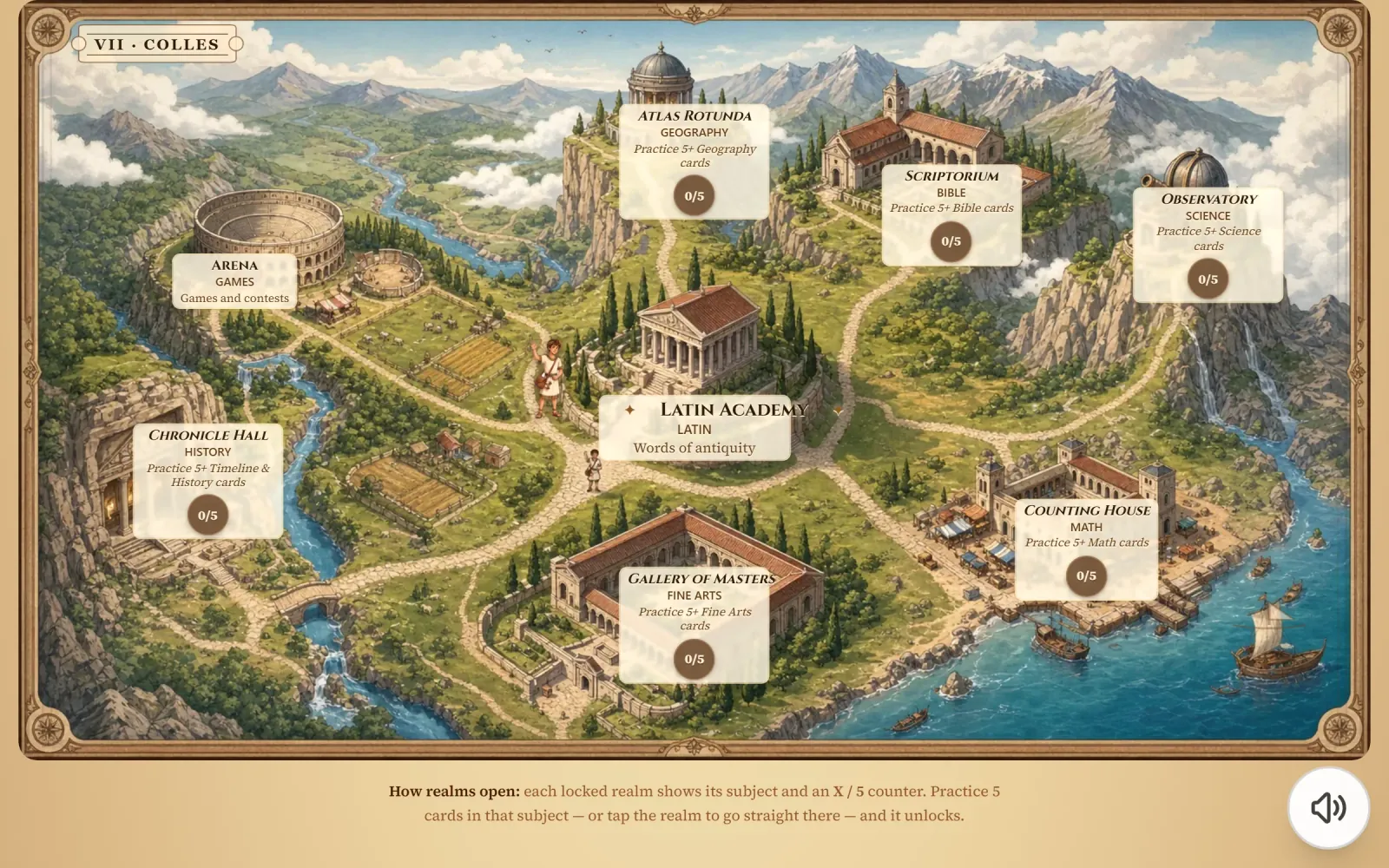
Four screens from the actual app — an illustrated kingdom map, the moment a new building rises, the classical cosmetic shop, and the decorated map after a cosmetic is equipped.
The home screen
12 illustrated Kingdom buildings form the current map. The full practice library spans all 8 classical subjects, including Bible.
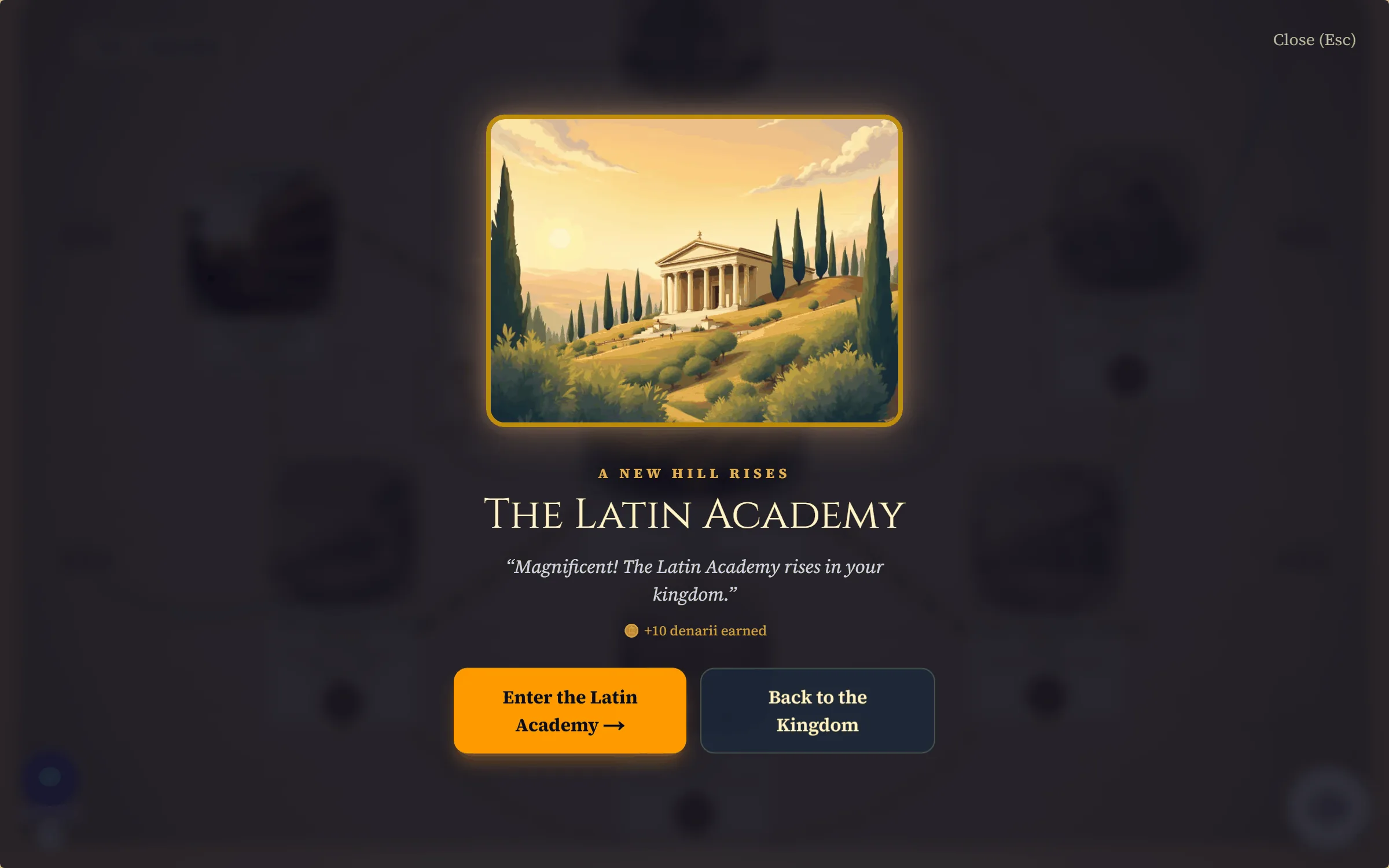
The unlock moment
When a hill crosses its practice threshold, the ceremony fires — illustrated art, warm confetti, Marcus narrates in a classical British voice, and 10 bonus denarii land.
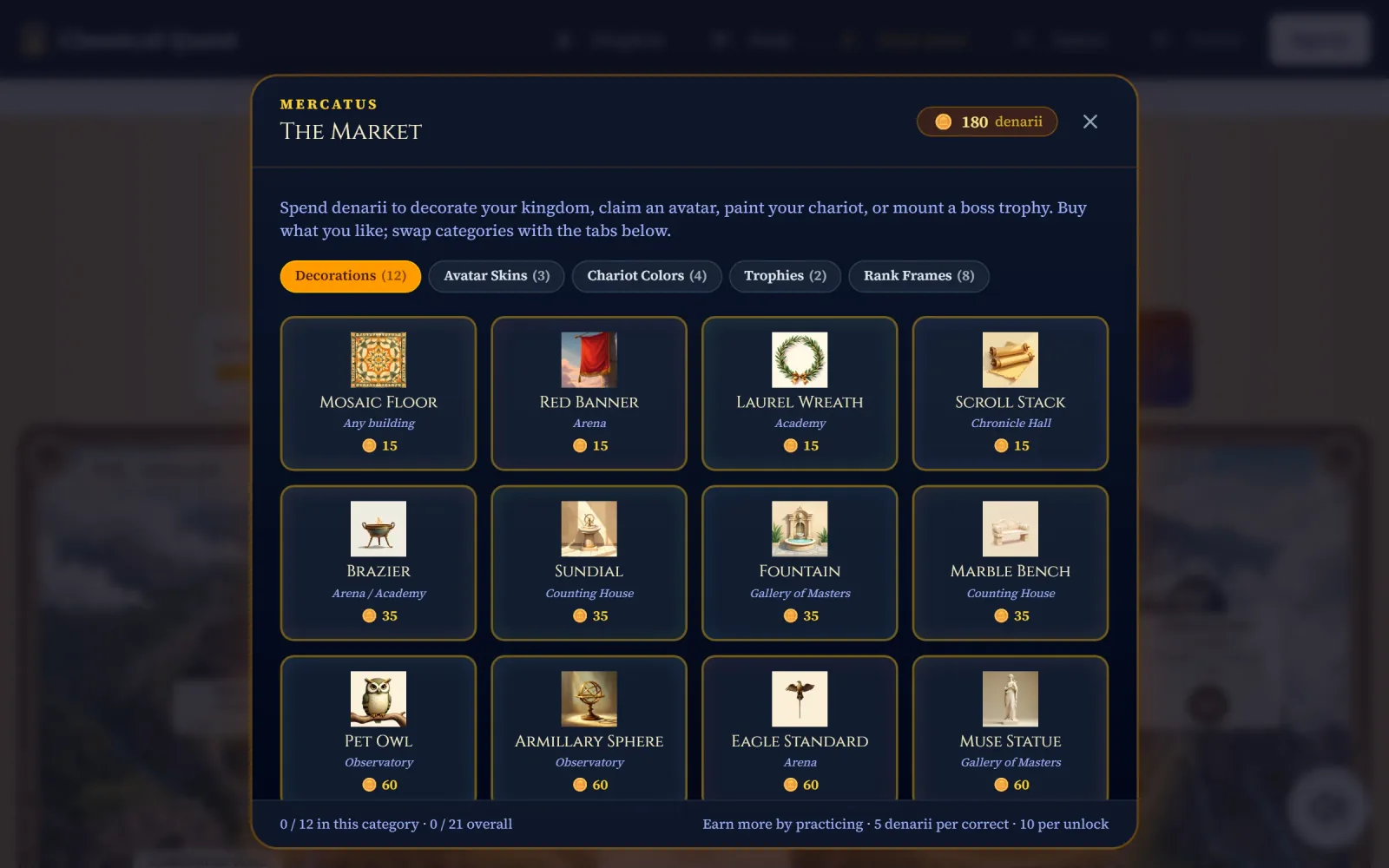
The Market (Mercatus)
Twelve illustrated cosmetics across three price tiers. 5 denarii per correct, 10 per unlock. Hidden completely in Scholar Mode for families who prefer it.
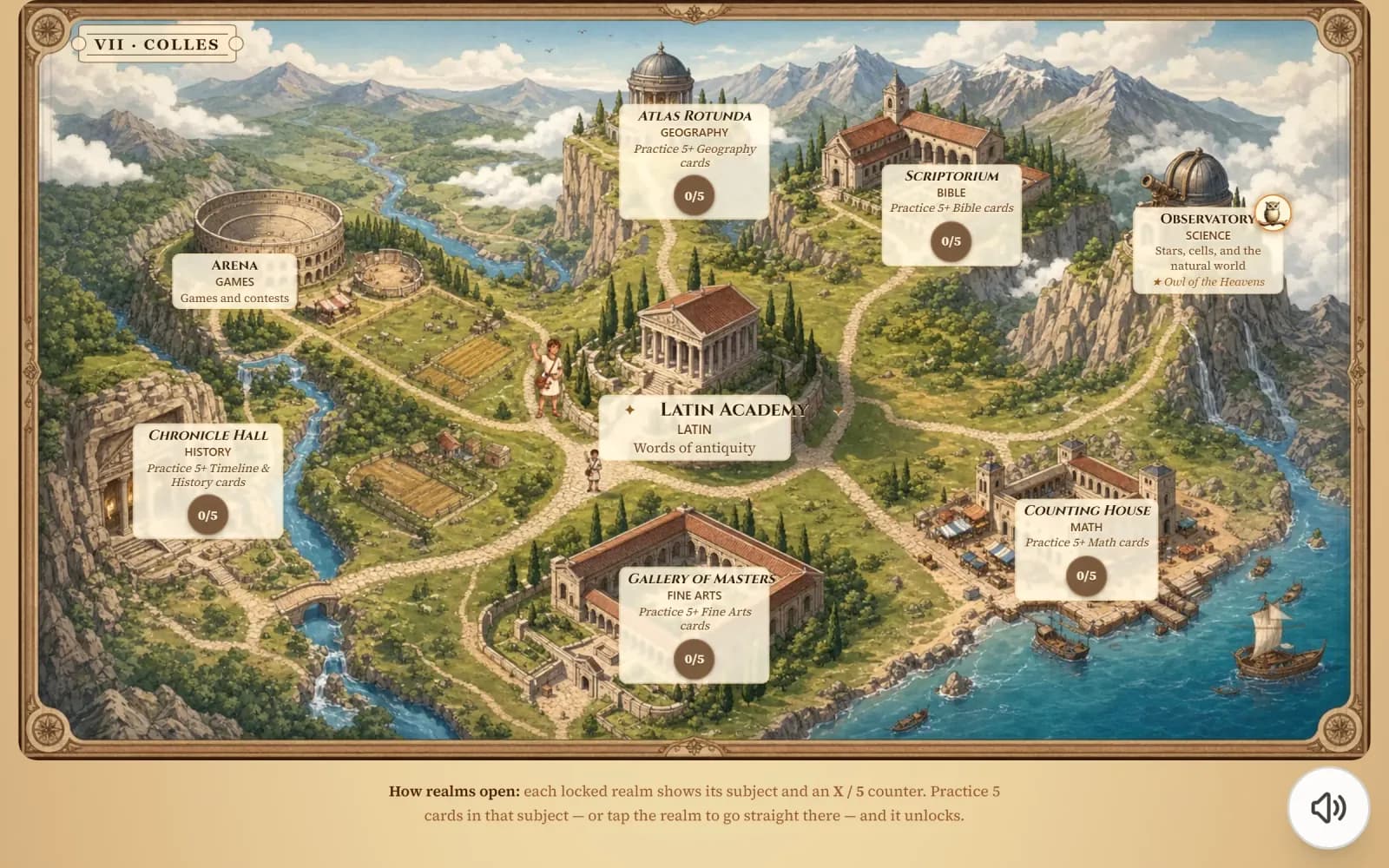
Equipped cosmetics
Purchased pieces decorate a hill of the student's choice. When the match fits — Pet Owl on the Observatory, Eagle Standard on the Arena — the cosmetic gets a golden halo.
Representative counts from the live content library, rounded down where a floor keeps the copy honest as the library grows.
| Subject | Items |
|---|---|
| Latin vocabulary | ~560 |
| Timeline events | 161 |
| Math facts | 234 |
| Science | 276 |
| Geography | 313 |
| Fine arts | 156 |
| English grammar | 161 |
| Bible | 300+ |
| Total practice items | 1,900+ |
We built the content library to match what classical homeschool families are already studying — not to replace your primary curriculum.
Vocabulary practice that pairs with Henle's grammar-translation approach for upper-grammar students.
First Form Latin and Second Form Latin vocabulary + grammar coverage for independent practice.
Grammar and logic stage memory work — parallel to the classical trivium cadence Susan Wise Bauer recommends.
Cycle-aware practice for Latin, timeline, math, science, geography, fine arts, English grammar, and optional Bible memory.
The Kingdom screen is the student’s home — 12 illustrated Kingdom buildings they unlock with correct answers, alongside a practice library across all 8 classical subjects. Some families prefer the full illustrated experience; others prefer a stripped-back classical aesthetic. Both are one toggle away.
Default
Illustrated kingdom map, correct-answer particle bursts, short unlock ceremonies when a new building rises. Ages 6-14 tend to prefer this.
Optional · in Settings
Classical-aesthetic stripdown: no particles, no animations, no Market. Keeps the map, the voice narration, and all the progress. Well-suited for parent-led sessions or families who prefer minimal visual reward.
Toggle it on or off in Settings → Display after creating an account. Default is immersion mode.
One account, all your children. Cancel anytime from Settings. No lock-in, no cancellation hoops.
See Family PlansOr just the newsletter
A weekly two-minute note with one classical-education idea and what we’re shipping.